
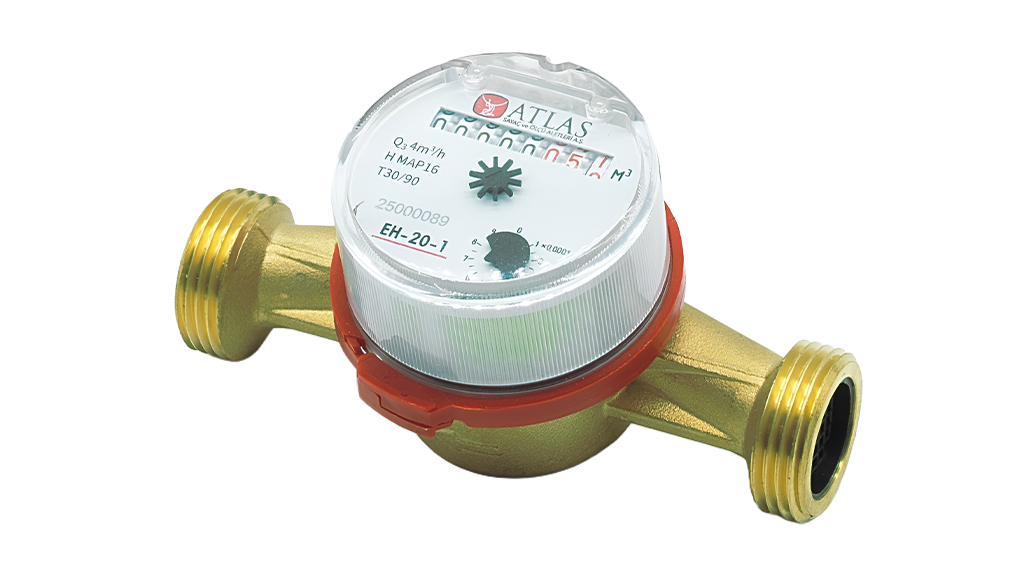
A pulse-output water meter can provide a defined increment of measured volume to an external counter each time it emits a pulse. This interface is useful for consumption monitoring and automation. Incorrect pulse scaling, input wiring or debounce settings, however, can produce major errors in both total volume and calculated flow.
1. Understand the pulse constant
If one pulse represents 10 litres, 100 pulses represent 1,000 litres, or 1 m³. Calculate accumulated volume as V (m³) = N × K (L/pulse) / 1000, where N is the number of accepted pulses. K must be taken from the specific meter’s documented configuration; it is not universal across ATLAS variants.
For example, 1,234 accepted pulses at K = 10 L/pulse equal 12,340 litres, or 12.34 m³. Entering K = 1 rather than 10 into the controller would under-report by a factor of ten and may look like a metering fault.
2. Estimate the current flow rate
When the elapsed time Δt between two valid pulses is known, approximate flow as Q (m³/h) = 3.6 × K (L/pulse) / Δt (s). With K = 10 L/pulse and Δt = 18 seconds, Q is about 2.0 m³/h.
For a fixed observation window, use Q (m³/h) = 3.6 × N_window × K / T_window(s). Sparse pulses at low flow introduce a delay before the next update; very short windows may give unstable readings. Set clear rules for filtering, zero-flow reporting and timeouts.
3. Reed contacts and electronic outputs differ
A mechanical meter may use a reed-contact closure, while another design uses an open-collector transistor or a different electronic interface. Input voltage, current limits, polarity, common reference and maximum pulse rate depend on the model. Do not connect a pulse output to a nominal 24 V input without checking both data sheets.
Reed-contact bounce, electrical interference and long wiring can introduce false counts. Excessive debounce filtering can suppress valid pulses; insufficient filtering can count one pulse more than once.
4. Site acceptance checklist
Record the meter model, pulse factor and output type. Check the counter input specifications, wiring length, noise mitigation, pulse width and debounce time. Verify the actual electrical signal using suitable test equipment.
Record the local meter indication and the software counter at the same starting point. Pass a known volume and compare the final difference. Test supply interruption, communication failure, non-volatile counter storage and recovery behaviour.
A basic pulse line does not automatically deliver timestamps, detailed event history or two-way communication. For those requirements, evaluate M-Bus, LoRaWAN or an appropriate logger/gateway.
5. Five questions before ordering
How many litres does each pulse represent? Is the output a reed contact or transistor? What are the allowed pulse frequency and pulse width? What electrical power and cabling conditions apply? Which approved register is the legal volume indication? Capture the answers in the specification.
ATLAS integration route
Explore ATLAS Pulse-Output Water Meters for compatible counting applications. Send the DN, design flow, pulse factor, controller input details, cable distance and data-retention requirements to the ATLAS technical team. Confirm the specific communication option for each proposed configuration.